1. Go to Accounts Payable>Programs>AP Vendor Compliance
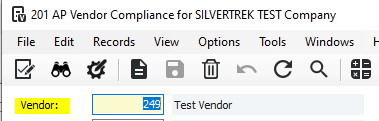
2. In the vendor field, enter the vendor number or press F4 to select the vendor
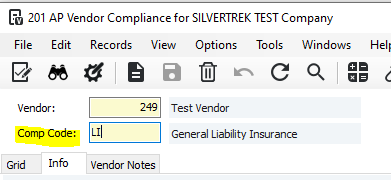
3. In the Comp Code field, enter the compliance code or press F4 to select the compliance code
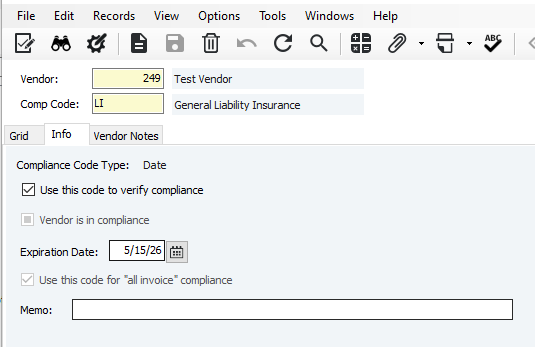
5. Fill out the necessary information
'Use this code to verify compliance' Checkbox: Check this box if you want Vista to verify this vendor compliance code during AP processing
'Vendor is in Compliance' Checkbox: Check this box if the vendor is in compliance (For Yes/No type codes only)
Expiration Date: Enter the expiration date of the compliance code (for Date type codes only)
Memo: Optional
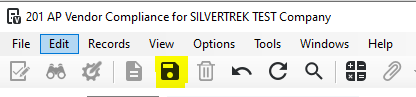
6. Click Save
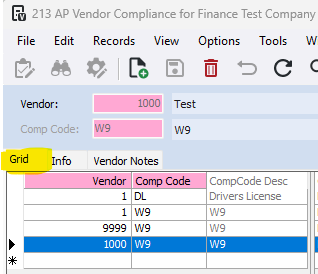
To view all vendor compliance codes, go to the Grid Tab
Was this article helpful?
That’s Great!
Thank you for your feedback
Sorry! We couldn't be helpful
Thank you for your feedback
Feedback sent
We appreciate your effort and will try to fix the article