To process a PreNote for vendors view this article: [AP] AP EFT PreNote Download
1-Go to Accounts Payable>Programs>AP Vendors
2-Navigate to the Vendor you are setting up for EFT payments
3-Go to the 'Payment Method' tab on that vendor
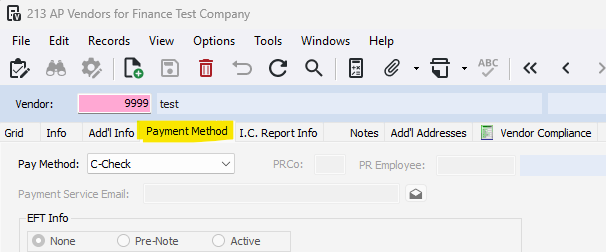
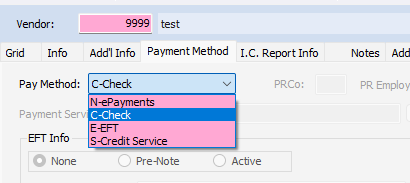
4- Change the Pay Method to E-EFT
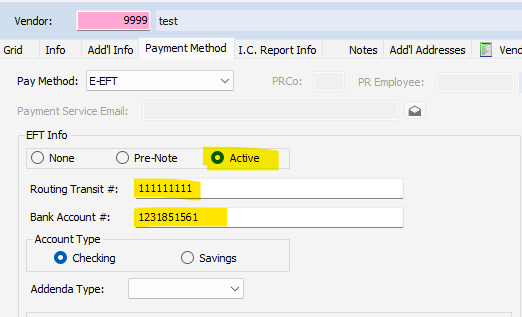
5- Check the Active box
6- Enter in the Routing Transit # and Bank Account #
7- Press Save
Was this article helpful?
That’s Great!
Thank you for your feedback
Sorry! We couldn't be helpful
Thank you for your feedback
Feedback sent
We appreciate your effort and will try to fix the article