The VA Report Security By User/Title and VA Form Security By User/Form reports help identify conflicting security settings and show why a user can or cannot access a form or report. These reports are in Viewpoint Administration → Reports.
Key Points:
Security can be set at the User/Individual or Group level.
Reports show all security settings for a user or group for troubleshooting access issues.
Steps to Run Reports:
Leave Beginning and Ending Company blank to see all company and global settings.
Use F4 to select the User or Security Group.
Use F4 to select a specific Report or Form, or leave blank to check all.
Notes:
Reports display all security methods applied to a user/group.
“Denied” can only be applied to a User, not a Group.
If a Form/Report doesn’t appear, the user/group has no access.
Security Hierarchy:
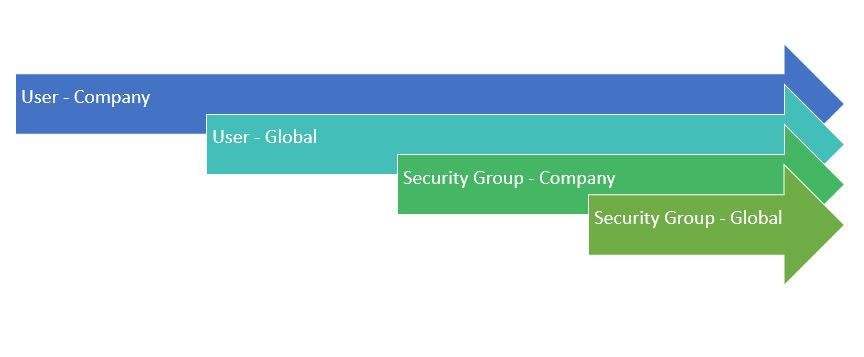
User & Company settings override Global or Group settings.
None means no security is set at that level; the system checks the next level. If all levels are None, access is denied.
The security hierarchy is as follows:
Was this article helpful?
That’s Great!
Thank you for your feedback
Sorry! We couldn't be helpful
Thank you for your feedback
Feedback sent
We appreciate your effort and will try to fix the article