Soft-Closing a Job (also applies to Hard-Closed Contracts)
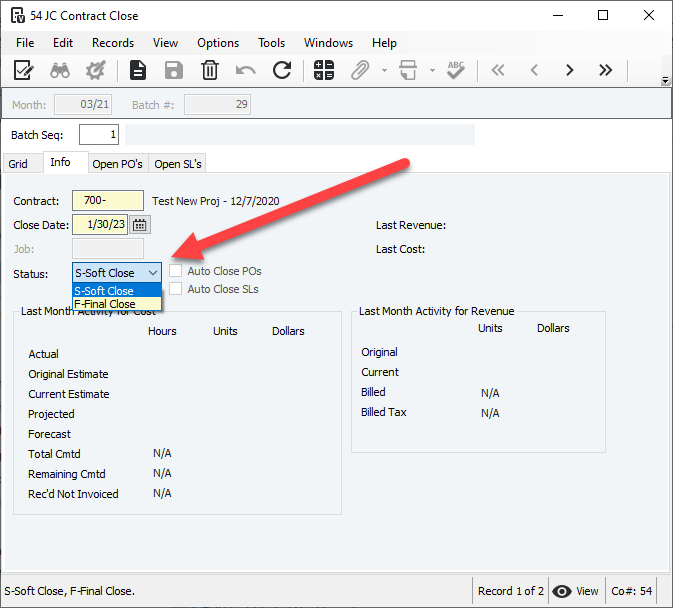
Go to JC Contract Close and create a new batch for the month you want to close the contract/job.
Tab off the Batch Seq field to add the contract to the batch.
Note: Check that the Close Date and Status are correct. (Final Close = Hard Close)
Go to File > Process Batch and validate the batch.
Was this article helpful?
That’s Great!
Thank you for your feedback
Sorry! We couldn't be helpful
Thank you for your feedback
Feedback sent
We appreciate your effort and will try to fix the article