Vendor statement reconciliation compares a vendor’s statement to your Accounts Payable records in Vista to make sure:
All invoices, credits, and payments match
No invoices are missing or duplicated
The balance owed to the vendor is correct
Recommended Reports
AP Aged Open Payables with Unapproved
AP Vendor Drilldown
Path: Accounts Payable > Reports > AP Aged Open Payables with Unapproved
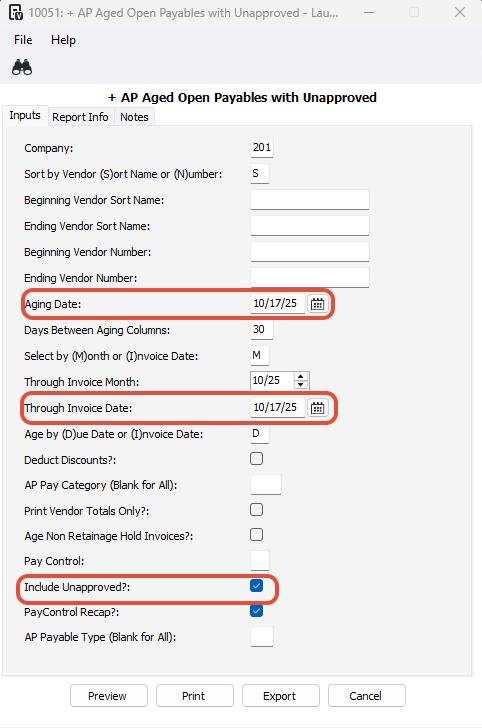
Click Beginning Vendor Sort Name or Beginning Vendor Number, then press F4 to select a vendor
Use the current date for Aging Date and Through Invoice Date
Make sure Include Unapproved is checked
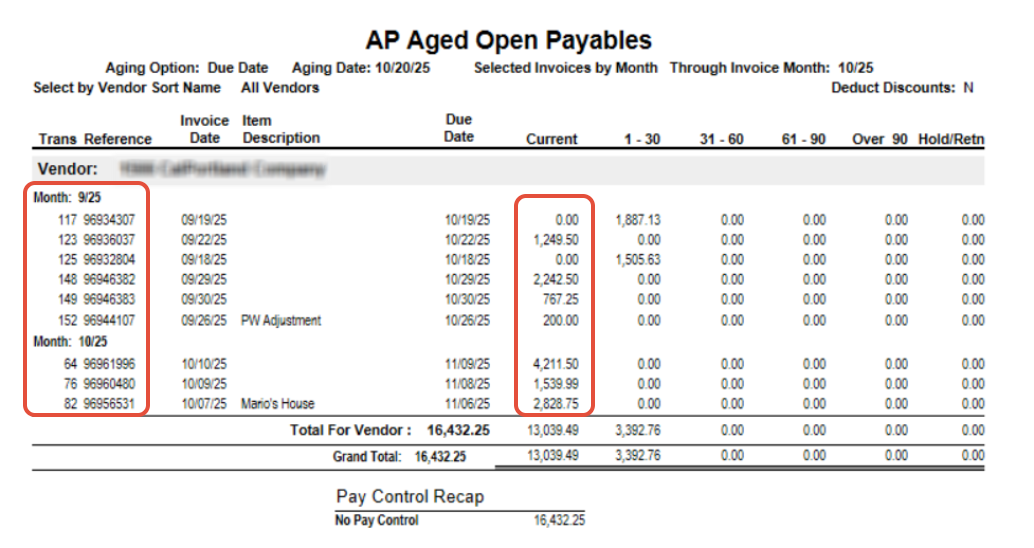
- Confirm that all invoices numbers and amounts match the Vendor Statement.
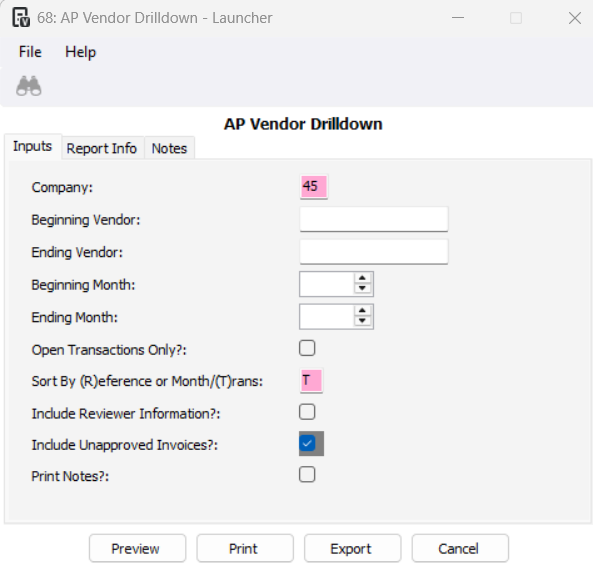
AP Vendor Drilldown
Accounts Payable > Reports > AP Vendor Drilldown
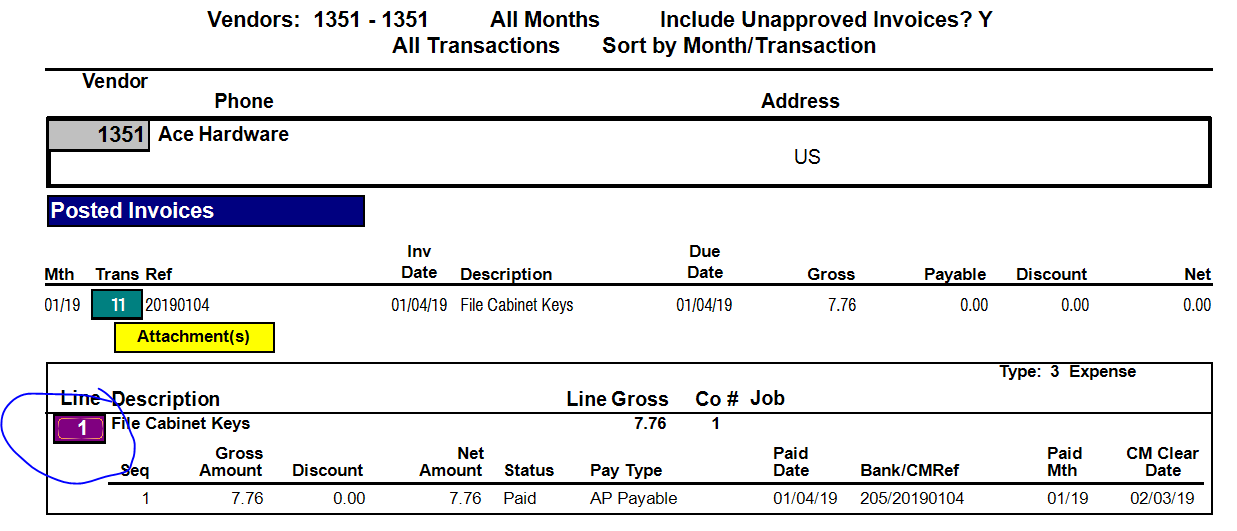
- Use this report to reconcile vendor statements by reviewing invoices and amounts for each vendor.
Was this article helpful?
That’s Great!
Thank you for your feedback
Sorry! We couldn't be helpful
Thank you for your feedback
Feedback sent
We appreciate your effort and will try to fix the article