Go to Viewpoint Administration > Programs > VA User Profile
Note: Employees approving invoices via the portal do not need a Vista license.
Creating a New User Profile
Username: Employee’s email address (required for Trimble ID)
Email: Employee’s work email for portal login
Password:
If the employee won’t log into Vista, enter a random password
If the employee will log into Vista, save the password securely for their first login
Check Is SSO Account to create a Single Sign-On record instead of a SQL account
Tip: Always select Is SSO Account to avoid creating duplicate, deactivated accounts during Trimble ID migration
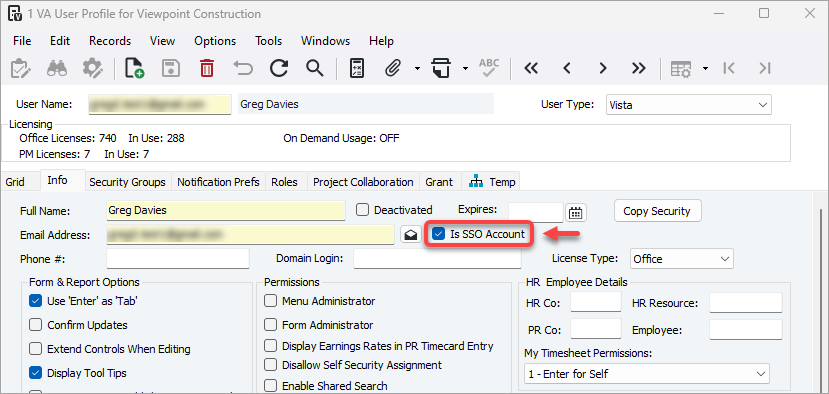
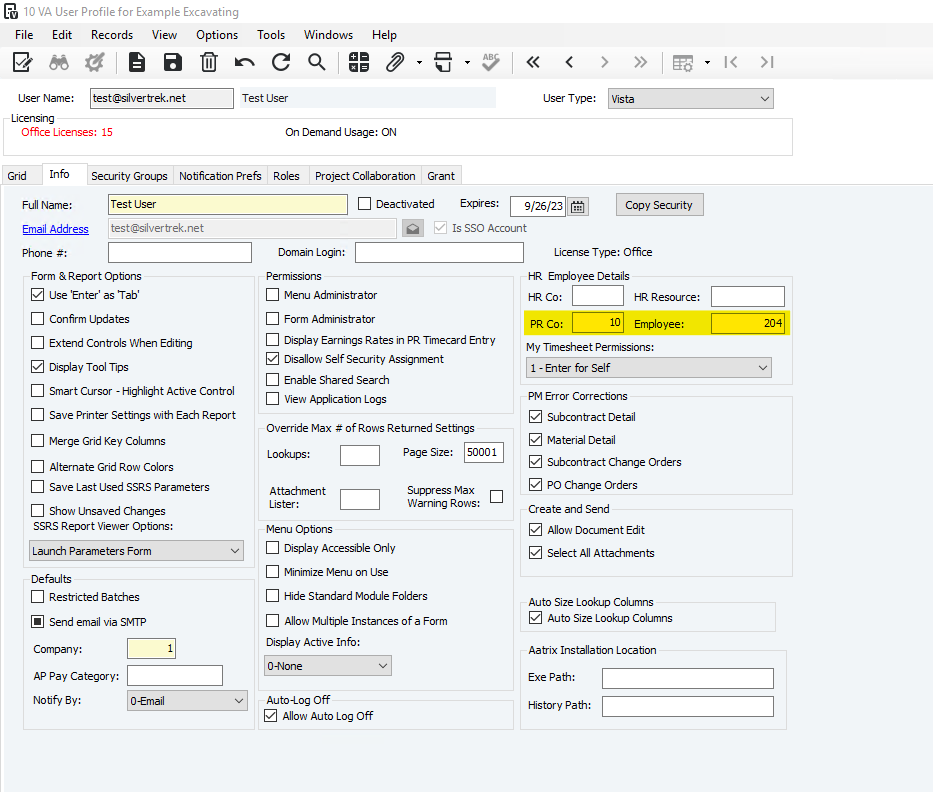
Info Tab
Make sure PR Co and Employee # are linked to the employee’s profile
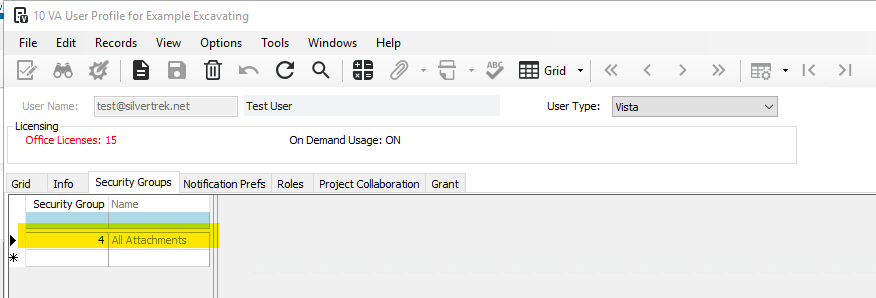
Security Groups Tab
Make sure the employee is assigned Security Group 4 – All Attachments to view attached AP invoices
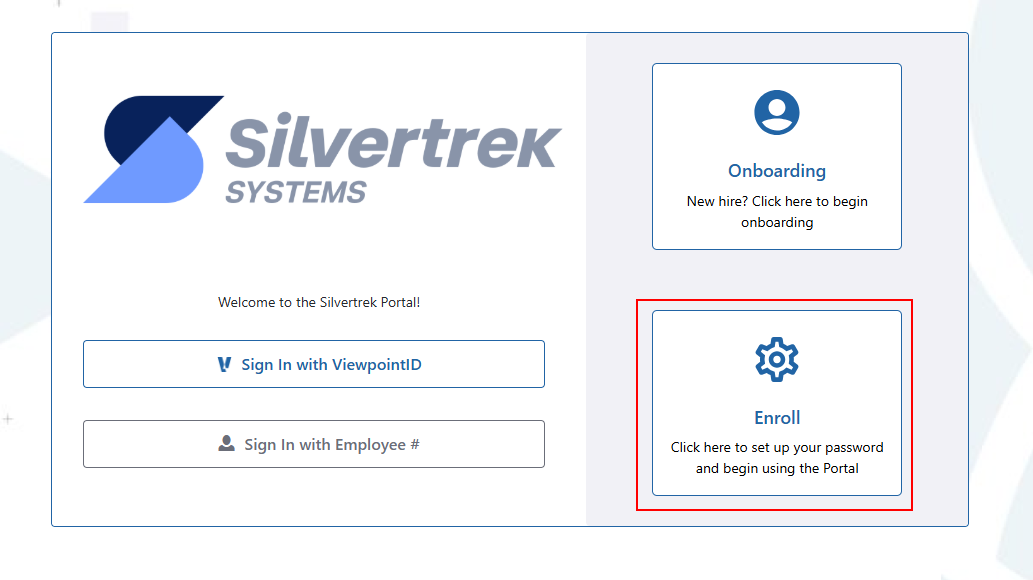
- Ask the user to click “Enroll” on the Vista login screen
Was this article helpful?
That’s Great!
Thank you for your feedback
Sorry! We couldn't be helpful
Thank you for your feedback
Feedback sent
We appreciate your effort and will try to fix the article