In Vista, AR Miscellaneous Receipts is used to record money received by the company that is not associated with an existing AR invoice. It allows you to record the receipt, update cash, and distribute the amount directly to the appropriate GL account without creating an invoice first.
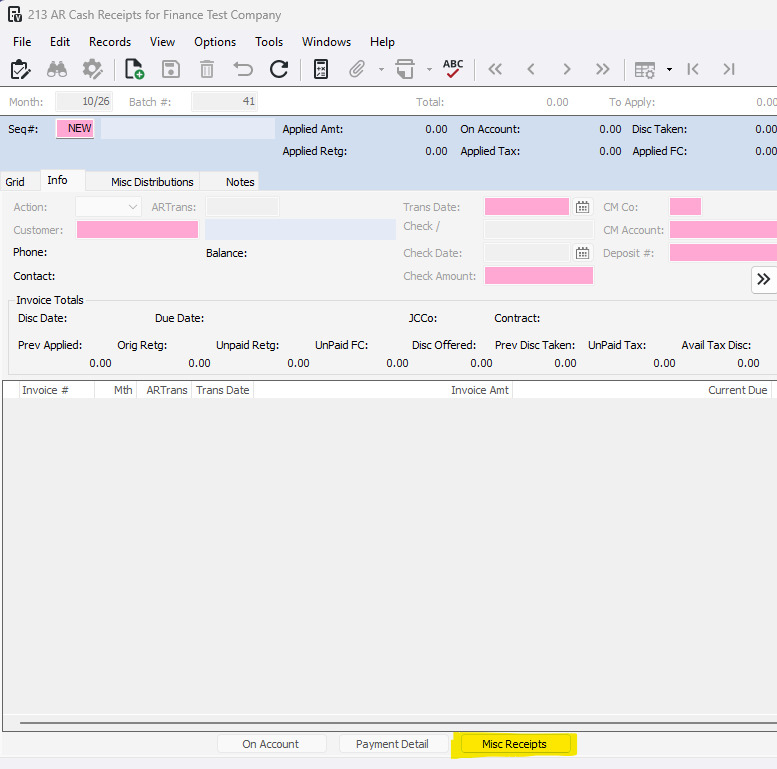
1-Go to Accounts Receivable>Programs>AR Cash Receipts
2- On the bottom of the screen, press 'Misc Receipts' button
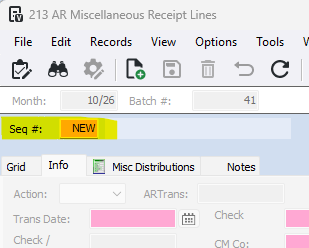
3- Enter + or N, in the Seq # field
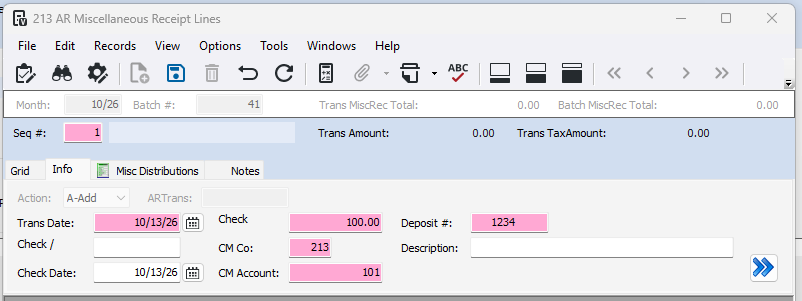
4- Fill out the top portion.
- Trans Date - Date of the transaction
- Check / - Check number (optional)
- Check Date- Date on the check
- Check - Amount of receipt
- CM Co - Cash management company
- CM Account - Cash account the receipt was deposited into
- Deposit # - CM reference (must be unique)
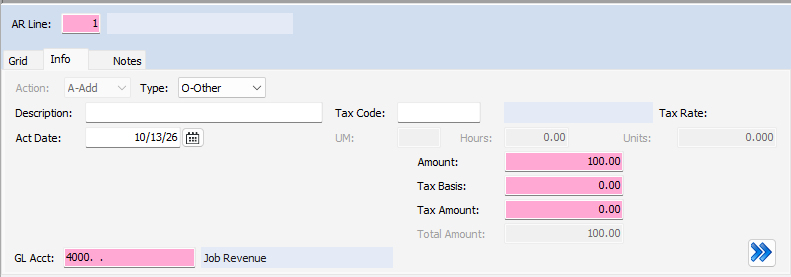
5- Fill out the bottom portion.
- Type - Other, Job, Equipment, SM Work Order (How the amount is distributed)
- Tax Code - Enter code if there is tax
- Act Date - Actual date
- GL Account/Job/Equipment/SM Work Order - Coding for the receipt
- Amount - Check Amount
- Tax Basis - How much of the amount is taxed
- Tax Amount - Total tax amount
6- Once complete, press the X in the top right corner

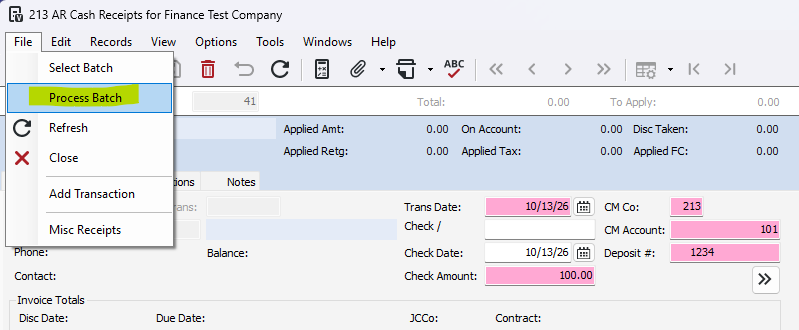
7- The header in AR Cash Receipts will fill in the information from the AR Misc Receipt. Go to File>Process Batch
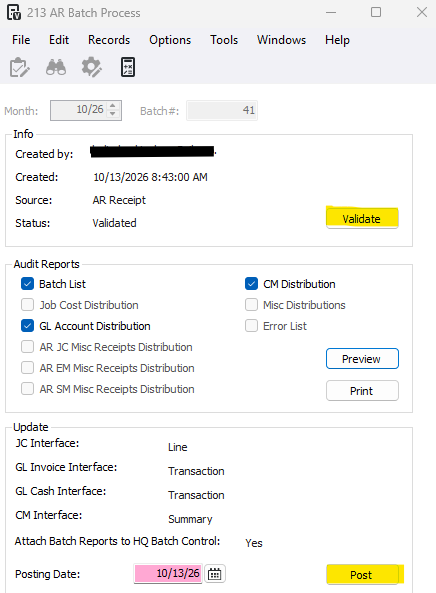
8- Press Validate and Post
Was this article helpful?
That’s Great!
Thank you for your feedback
Sorry! We couldn't be helpful
Thank you for your feedback
Feedback sent
We appreciate your effort and will try to fix the article