The AR Release Retainage form lets you release amounts previously withheld from customer payments.
Key Points:
Can release retainage for all invoices of a customer or a specific contract
Only applies to invoices entered directly in AR (not from Job Billing)
Retainage is applied at the item level, but release occurs at the invoice level
How It Works
Select a customer to see all related invoices
Optionally filter by JC Company or Contract
The system automatically allocates released amounts to each item
Methods of Releasing Retainage
Manual Release:
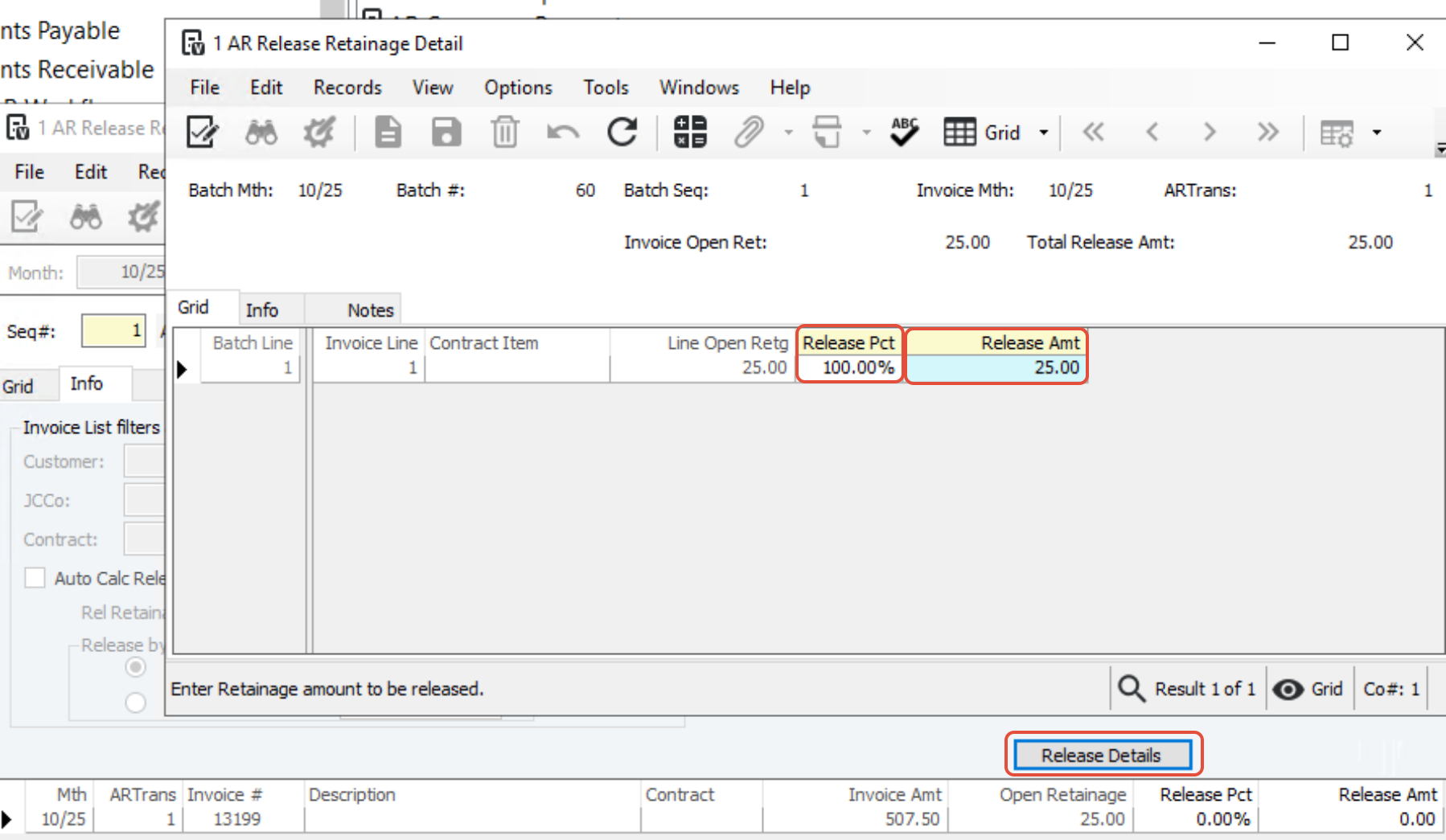
Enter a release percentage or specific amount per invoice
Adjust amounts at the item level using Release Details
Automatic Release of Retainage
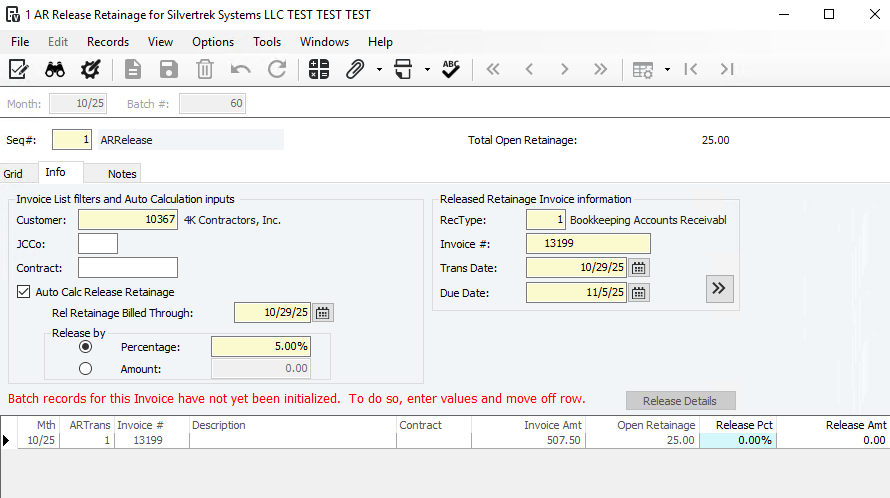
Turn on Auto Calculate Release Retainage
Select a cutoff date
Choose a calculation method:
Percentage Method:
Applies the same release percentage to all invoices
System allocates released amounts to items automatically
Amount Method:
Releases a specific total dollar amount
Starts with the oldest invoice and continues until the total is used
System Actions After Retainage Release
A credit transaction is created for the total release amount, linked to the original invoice lines
The system generates one AR invoice summarizing all released retainage
After batch processing, the invoice is available for printing via the AR Invoice Report
Summary:
The AR Release Retainage process automates or guides manual release of retained funds, ensuring correct allocation, documentation, and reporting.
Was this article helpful?
That’s Great!
Thank you for your feedback
Sorry! We couldn't be helpful
Thank you for your feedback
Feedback sent
We appreciate your effort and will try to fix the article