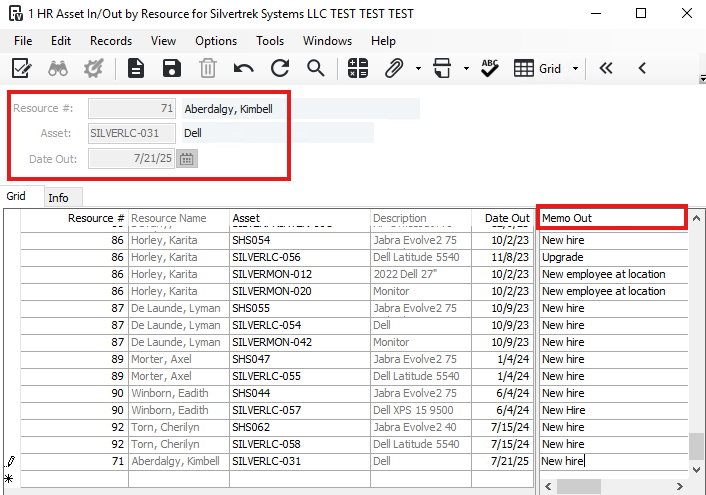
Checking Assets In/Out by Resource
Open the HR Asset In/Out by Resource form from the HR module,
OR click the Assigned Assets tab in the HR Resource Master form.Select the Resource in the Resource field.
The Asset field shows assets currently assigned to the resource. Press F4 to select a new asset to check in or out.
To Check Out an Asset:
Enter the Date Out and any notes in Memo Out (condition, accessories, etc.).
Status updates to Unavailable (1) after saving.
To Check In an Asset:
Enter the Date In and any notes in Memo In (condition at return).
Status updates to Available (0) after saving.
Click Save to record the transaction.
Was this article helpful?
That’s Great!
Thank you for your feedback
Sorry! We couldn't be helpful
Thank you for your feedback
Feedback sent
We appreciate your effort and will try to fix the article