Purpose: Track customer interactions (e.g., disputes, overdue payments).
What to record:
Contact dates and follow-ups
Related invoice (if any)
Conversation summary and notes
User and creation date
Checkbox to mark resolved matters
Customer Notes Tab:
View, add, or edit notes.
Updates the ARCM (Customer Master) table, so notes can also be accessed from AR Customers.
Important: Notes are not used in AR processing but can be reviewed in reports, such as the AR Customer Notes report.
To access:
Go to AR > Programs > AR Credit Notes
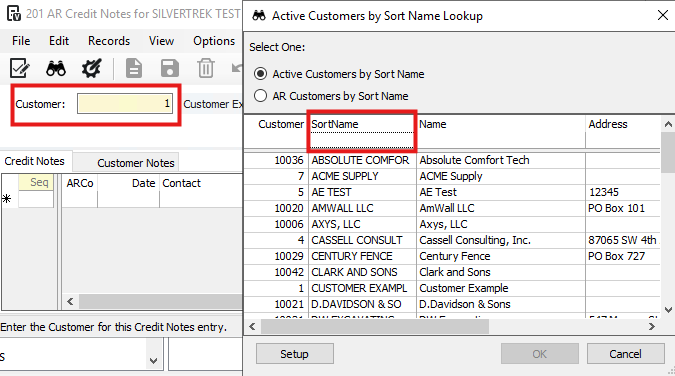
Enter the customer to view relevant credit notes.
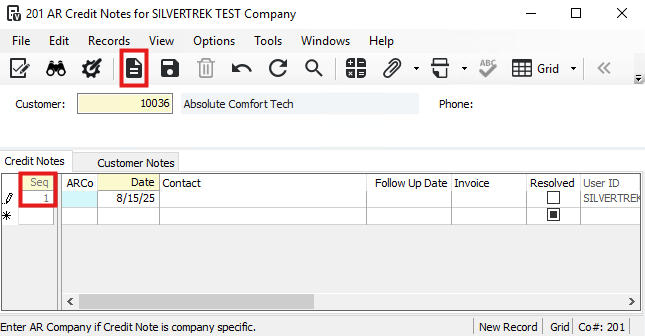
- Click the new sequence icon (sheet of paper) on the toolbar to create a record. The sequence number is assigned automatically when you save.
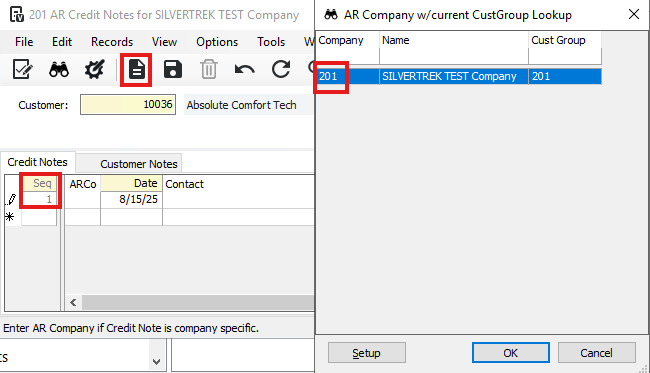
- ARCo Field:
Enter the AR company for this credit note.
The company must share the same Customer Master as the active company.
If a company is entered, only that company can access the credit note.
If left blank, all companies sharing the same Customer Master can access it.
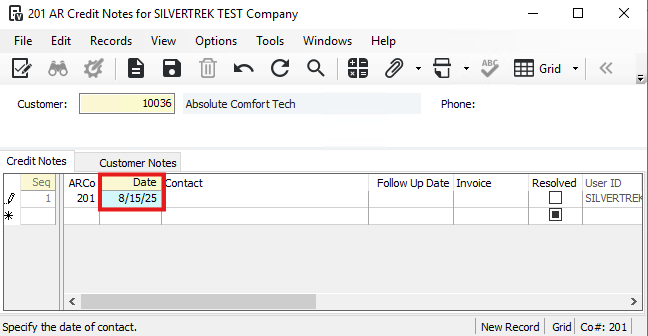
- Enter the date you initially contacted this customer regarding this matter.
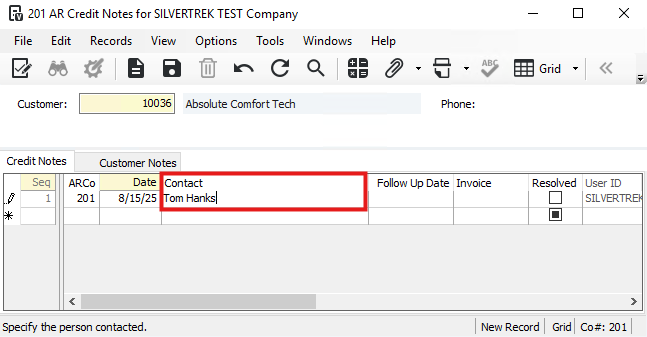
- In the contact field, enter the person contacted, up to 30 characters.
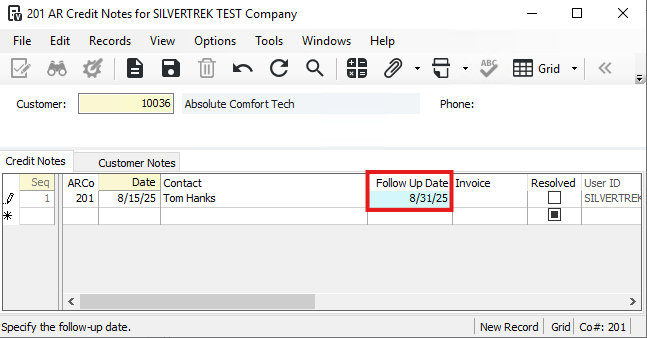
- Enter the date that the follow-up call or contact was (or will be) made.
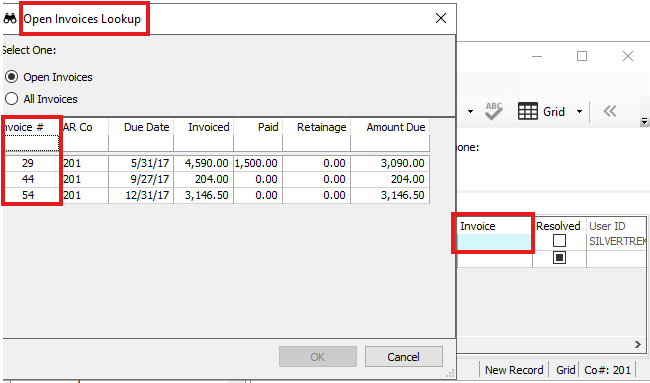
- Enter the invoice (must be a valid AR invoice number) this entry applies.
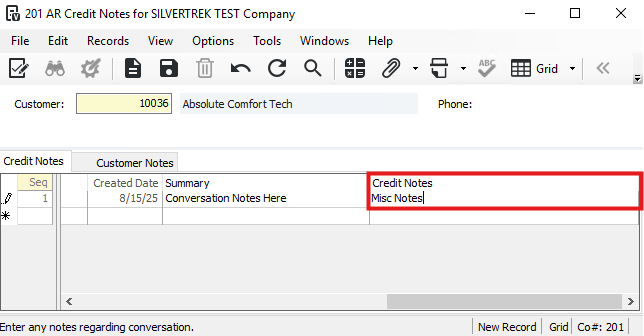
- In the Summary field enter a brief summary of the conversation that occurred, up to 30 characters.
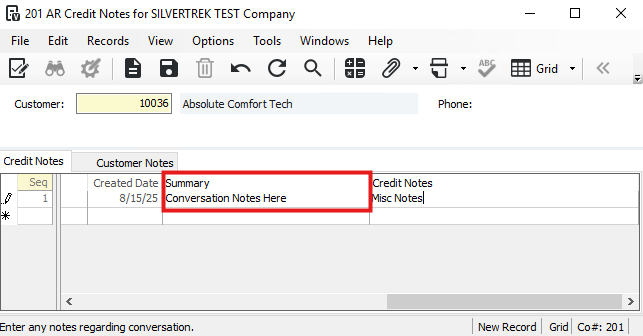
- In the Credit Notes field enter any miscellaneous notes about this item. The space allowance is virtually unlimited.
Was this article helpful?
That’s Great!
Thank you for your feedback
Sorry! We couldn't be helpful
Thank you for your feedback
Feedback sent
We appreciate your effort and will try to fix the article