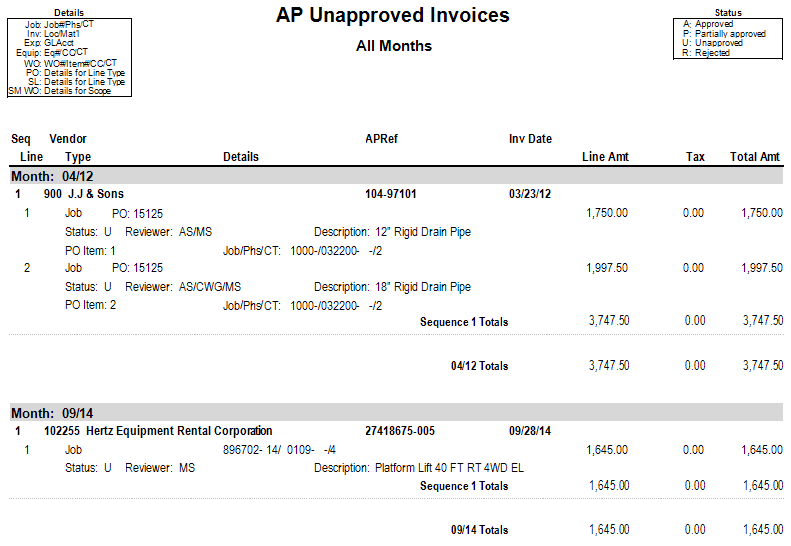
AP Unapproved Invoices Report
Purpose: Displays all unapproved invoices that haven't been posted yet.
Access: Go to Accounts Payable > Reports > AP Unapproved Invoices.
Includes:
Reviewers assigned to each line
Status of the review process
| Report Parameters | Description |
|---|---|
Company | Accept the default, or press F4 to select a company. |
Beginning Month | Enter or select the applicable beginning month. |
Ending Month | Enter or select the applicable ending month. |
Print Rejected Only? | Select the checkbox to display only rejected invoices on the report. |
Print Notes? | Select the checkbox to print any associated notes. |
Was this article helpful?
That’s Great!
Thank you for your feedback
Sorry! We couldn't be helpful
Thank you for your feedback
Feedback sent
We appreciate your effort and will try to fix the article