GL Auto Journal Entry is used to automatically create recurring or standard journal entries based on a predefined setup. It helps automate entries that need to be posted regularly, such as allocations, accruals, or other repeating GL entries, reducing the need to manually enter the same journal each period.
Possible Uses:
Prepaids: Automatically expense prepaids by debiting an expense account and crediting a prepaid account for a set amount over a specified time.
Overhead Expenses: Auto allocate overhead costs based on percentages or calculations from other accounts (like sales or profits).
To use this feature:
Set up recurring journal entries template in the GL Auto Journal Entry Setup.
Run GL Auto Journal Entry to post the entries.
How to Setup the Template:
1- Go to General Ledger>Programs>GL Auto Journal Entry Setup
2- Assign a 'Journal' to your journal entry (Most commonly used journals are GJ-General Journal or AJ-Accruals Journal)
3- Enter an Entry # (Assign a number to this journal entry)
4- Enter the Sequence # (at least two sequences per Entry #).
***One entry number will include all calculations and transactions, individually set up as sequences, which combine to make equal debit and credit entries
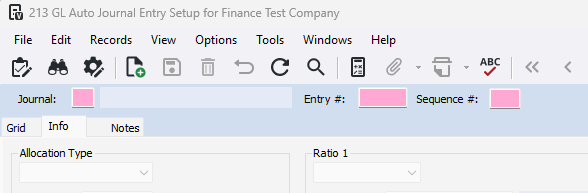
5- Select an Allocation Type and fill in the amount or percent.
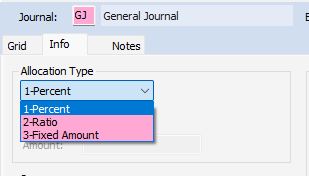
There are three types of allocations for auto journal entries:
Percent – Posts a fixed percentage of a GL account or total.
Ratio – Posts a percentage based on the ratio between two accounts or totals.
Fixed Amount – Posts a fixed amount.
You can use these types alone or together, depending on the complexity of the entry. You can base entries on fixed amounts, account balances, or previous totals.
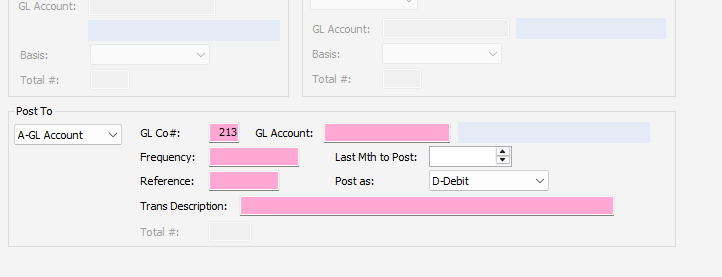
6- In the 'Post To' section, fill in the GL Company # and GL Account.
7- Set the frequency for the entry (how often the entry will be posted)
8- Add a Reference and Description.
9- Optionally, enter a Last Mth to Post.
How to Post the Entries:
1- Go to General Ledger>Programs>GL Auto Journal Entry.
2- Select the batch month (the month the entries will be posted to)
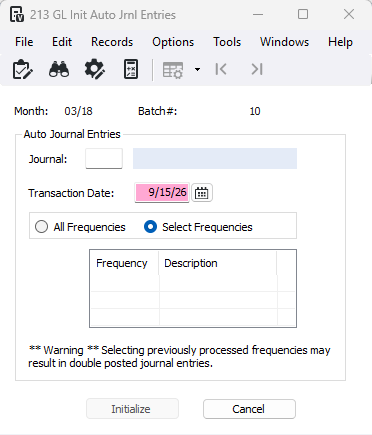
3- Enter or F4 to select the Journal the entries were setup under
4- Choose the Transaction Date
5- Press 'All Frequencies' to post everything or press 'Select Frequencies' and select which frequency to post. (You must click on the frequency in order for them to pull in, make sure it is highlighted)
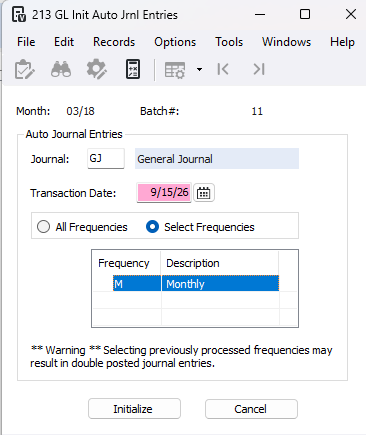
6- Click Initialize to create a new batch of entries for posting.
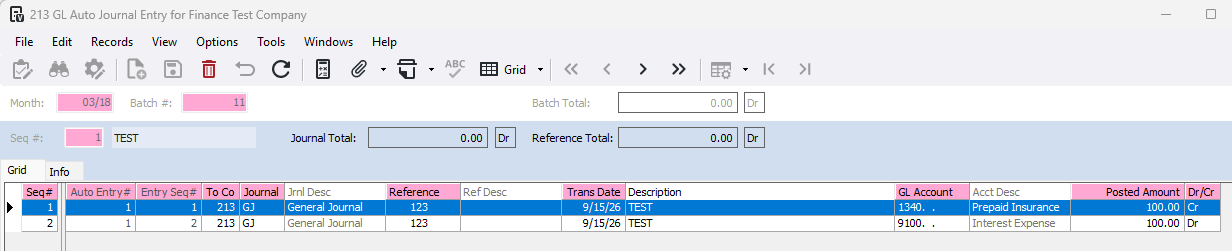
7- You can review your batch before posting. At this time, you may delete unwanted entries or make any changes.
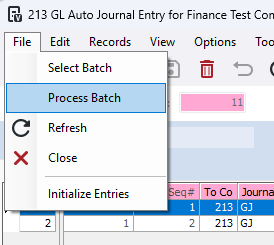
8- Go to File>Process Batch
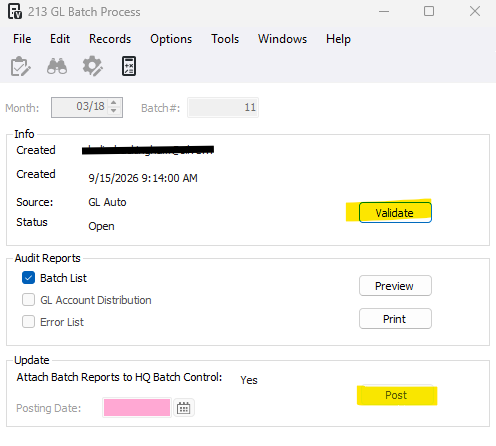
9- Then press Validate and ost
CAUTION: Running the GL Auto Journal Entry multiple times for the same setup can cause duplicate entries.
Was this article helpful?
That’s Great!
Thank you for your feedback
Sorry! We couldn't be helpful
Thank you for your feedback
Feedback sent
We appreciate your effort and will try to fix the article